Connect a private repository
livemy.app can deploy private repositories, not just public ones. You paste the repository link the same way — and when the repository isn’t public, livemy.app asks you to grant read access so it can clone your code.
When a repository is private
Section titled “When a repository is private”After you paste a private repository link, livemy.app tries to read it and finds it needs access. It then offers two ways to grant it:
- Authorize with GitHub — one click, for GitHub repositories. No token to create or manage.
- Access token — a read-only token you paste in. Works for every supported provider (GitHub, GitLab, Bitbucket, Gitee, Codeberg, SourceHut).
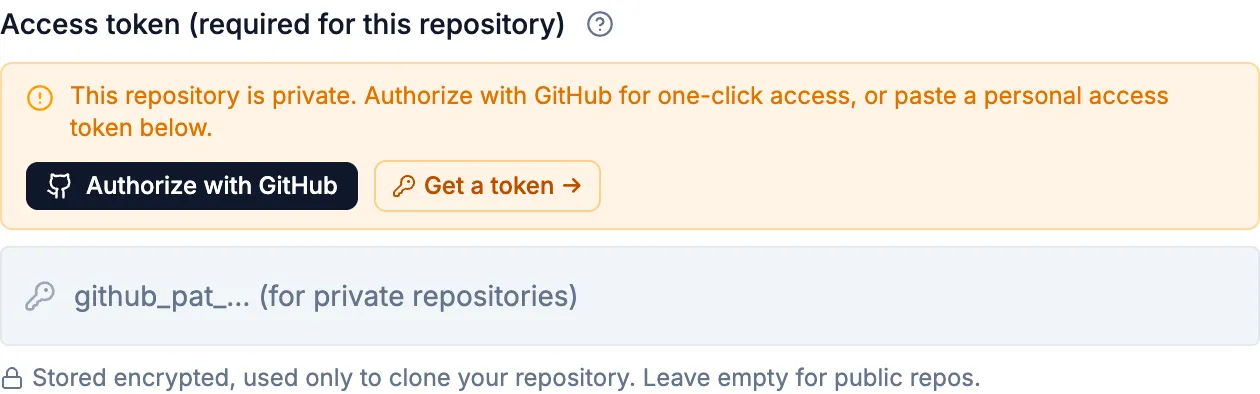
Either way, grant only read access to the repository you’re deploying — livemy.app only needs to clone your code, nothing more.
Authorize with GitHub
Section titled “Authorize with GitHub”For a repository on GitHub, select Authorize with GitHub. A GitHub window opens where you approve access — you can limit it to just the repositories you want livemy.app to read. When you finish, you’re returned to livemy.app and branch detection continues automatically. There’s no token to create or store.
Use an access token
Section titled “Use an access token”For any provider — or if you’d rather not connect GitHub — paste a read-only token into the Access token field. The New project panel links directly to the right token-creation page for the repository you pasted.
Create a fine-grained personal access token with the Contents: Read permission for the repository, then paste it into the Access token field. GitHub tokens don’t need a username.
Create a deploy token for the project (Settings → Repository → Deploy tokens)
with the read_repository scope. GitLab deploy tokens have two parts — paste the
token’s username (for example gitlab+deploy-token-1) and the token into
the two fields.
Create a repository access token (Repository settings → Access tokens) with a repository read scope, then paste it into the Access token field.
For Gitee, Codeberg, SourceHut, and other supported hosts, create a personal access token with read access to the repository and paste it into the Access token field.
Deploy
Section titled “Deploy”-
Paste the private repository link.
-
Grant access — either Authorize with GitHub, or paste an access token (and the username, for GitLab and Bitbucket deploy tokens).
-
Branches load automatically once access is granted. Pick a branch, or let livemy.app use the default.
-
Start the deploy — from here the flow is identical to a public repository.
If a token is rejected, livemy.app tells you it’s invalid. Check that it has read access to this specific repository and hasn’t expired, then try again.
Related
Section titled “Related”- Deploy a project — all the ways to start a deploy.
- Quickstart — deploy your first app end to end.